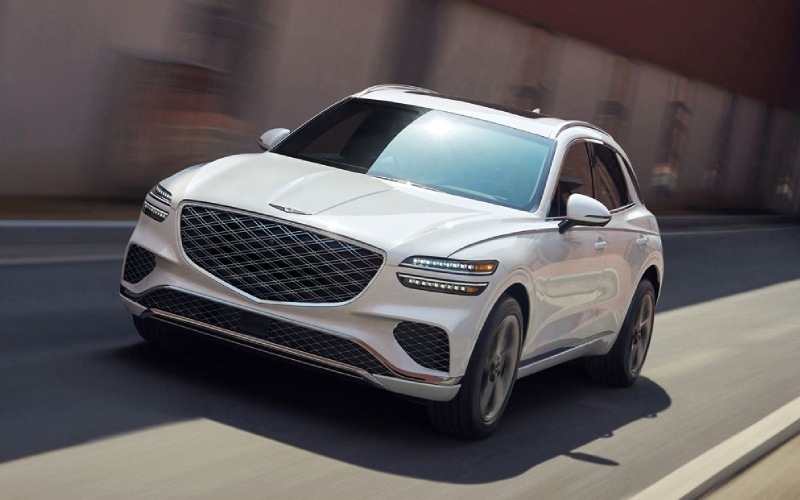
Genesis of San Bruno - How Does the 27-inch OLED Display on the 2026 Genesis GV70 Help Daily Driving in Burlingame, CA?
The 27-inch OLED display in the 2026 GV70 reimagines the way essential information flows to the driver. By unifying the instrument cluster and navigation on a single, high-resolution screen, it minimizes eye movement and helps you keep your attention where it belongs—on the road. For drivers in and around Burlingame, CA, where quick lane changes, tight streets, and busy corridors are part of the daily rhythm, a clear, customizable info layout is more than a luxury; it is a practical advantage. The intuitive interface is designed to make frequently used features feel natural, while voice commands let you access what you need without breaking stride.
Because the display integrates multiple functions, you can spotlight the most relevant details at any given moment. That might be route guidance and traffic ahead on the morning commute, audio and call information during daytime errands, or vehicle data and driving aids for a longer weekend trip. The ability to contextualize information this way reduces the clutter that often comes with separate screens, taps, and menus. Combined with standard all-wheel drive, an agile chassis, and available Electronically Controlled Suspension with Road Preview, the display supports the GV70’s broader mission—making each drive feel confident, composed, and connected.
Here is how owners can get more from the display on day one while keeping everyday driving simple and focused.
- Set up your home screens: Choose the gauge layout and map view that best fits your routine, prioritizing what you check most often.
- Use voice for quick actions: Keep your hands on the wheel by using voice commands to adjust navigation, select media, or place a call.
- Lean on visual clarity: Let the crisp graphics and intuitive icons guide your eyes; the high-contrast OLED helps reduce unnecessary scanning.
- Match info to context: Emphasize route and traffic in dense areas, then pivot to driver aids and vehicle status on longer stretches.
- Review driver-assist displays: When safe, observe how alerts and cues appear so you recognize them instantly in real time.
Frequently Asked Questions:
Can the 27-inch OLED display show multiple types of information at once?
Yes. The display is designed to unify navigation, instruments, and key vehicle functions so you can see essential data clearly and concurrently, reducing the need to jump between menus.
Do voice commands work while navigation guidance is active?
Yes. Voice commands are intended to keep your hands on the wheel while adjusting navigation, media, and other functions, helping you maintain focus on traffic around you.
What makes the OLED screen useful beyond its size?
Clarity and flexibility. The OLED panel delivers crisp, high-contrast visuals that are easy to read at a glance, and its customizable interface lets you prioritize the information you rely on most.
How does the display support safety and awareness?
By streamlining information and aligning it within your natural sightline, the display helps you process cues more efficiently. It works alongside a comprehensive suite of driver-assistance features, including Forward Collision-Avoidance Assist and available camera systems, to support confident decision-making.
If you are evaluating how the GV70’s tech fits your daily routine, a quick hands-on session can be illuminating. We encourage shoppers to test the display both stationary and in motion on a familiar route. Genesis of San Bruno is serving San Francisco, Burlingame, and Daly City, and our team can help you configure the screen to your preferences before you head out. That way, you can focus on how the SUV feels—its steering, ride quality, and quietness—while the display quietly does its job: keeping the right information in view at the right time.