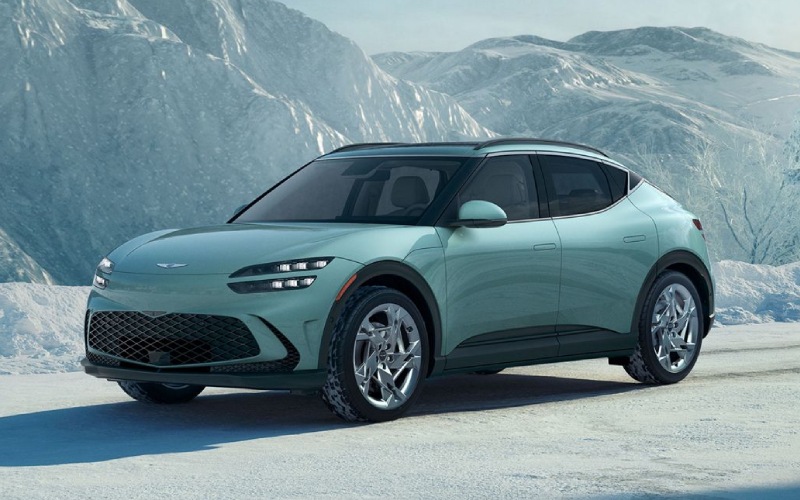
*Not actual model
Genesis of San Bruno - How Does the 27.0-inch Panoramic Display on the 2026 Genesis GV60 Elevate Commuting in San Francisco, CA?
The 27.0-inch panoramic display in the 2026 Genesis GV60 is more than a striking design cue — it is the organizing principle of the cabin, unifying instruments, navigation, media, and vehicle settings into one fluid, glanceable interface. For commuters, that consolidation means less time searching through menus and more time focusing on the road. The layout presents what you need precisely when you need it, whether you are managing a podcast queue, checking your next turn, or confirming adaptive cruise and lane-centering status on a busy freeway.
Genesis pairs the display with both touchscreen inputs and a tactile console controller, so quick adjustments feel natural — tap when you want, twist and click when you prefer. Wireless Apple CarPlay and Android Auto integrate smartphone experiences seamlessly, and a wireless charging pad keeps your device powered without adding cords to the console. The new three-spoke steering wheel complements the design with intuitive controls for volume, calls, and driver-assistance functions, helping keep your eyes forward and your hands settled.
During peak-hour drives, clarity and context matter. The GV60’s graphics are crisp, color-coded, and high-contrast for readability in bright morning sunlight or reflective afternoon angles. Split-screen capability means you can keep turn-by-turn guidance active while adjusting audio or checking remaining range, and the system makes smart use of space to reduce overlap and clutter. Subtle animations communicate status changes — for instance, when you enable adaptive cruise with lane-centering — so you always know what the vehicle is doing to support you.
For shoppers who value ease, the display works in concert with biometric convenience. Face recognition lets you unlock and enter without hunting for a fob; once seated, the instrument portion of the panel confirms your profile and applies saved preferences for seat position, mirrors, and climate. It is a small moment that saves seconds every day, and it makes the GV60 feel tailored to you from the first glance at the screen.
Audio lovers will appreciate how the display ties into the available Bang & Olufsen system, making it simple to fine-tune soundstage and balance. The cabin’s natural quiet — a benefit of EV architecture — lets subtle details come through, whether you are catching up on audiobooks or enjoying a new release. And when you need to concentrate, a few taps quiet notifications while leaving critical driver information front and center.
If you are narrowing your research and want to see the interface in action, arrive with a short checklist. Set up wireless CarPlay or Android Auto, adjust the display’s layout options, and practice split-screen views. Then take a short loop that mirrors your routine — a stretch of highway for lane-centering and a few city turns for quick glances at navigation cues. Small insights add up fast when the display is this central to daily driving.
Frequently Asked Questions:
Can I customize what appears on the 27.0-inch display?
Yes. You can tailor tiles, prioritize what stays persistent, and set split-screen layouts. Many drivers keep navigation on the right and driver-assistance status or media controls on the left to align with habit patterns.
Does wireless Apple CarPlay and Android Auto work reliably?
The GV60 supports wireless connections for both, and the system is designed to connect quickly at startup. The wireless charging pad helps maintain battery life during longer drives to keep your phone ready at arrival.
How does the display communicate driver-assistance status?
Color-coded icons and subtle animations indicate when adaptive cruise and lane-centering are active. This live feedback helps you understand the system’s engagement and where human input is expected.
Where can I test the display and get setup guidance?
Genesis of San Bruno offers hands-on walkthroughs and test drives tailored to your routine, serving South San Francisco, San Francisco, and Burlingame. Bring your device and we will have you connected, configured, and confident before you set off.